Why should IT teams choose between speed and control? Our mandate states that you can have your cake and eat it too. Betty Blocks is extending the benefits of low-code application development beyond the borders of our platform with Betty Blocks Open. Own and control the code you create using the open standards of WebAssembly: no restrictions, no black boxes, no vendor lock-in.

Platform Principles
The Low-Code Platform That Never Boxes You In
Betty Blocks stays true to the core principles of low-code: accelerating development, creating reusable modules, and enjoying the freedom to integrate with existing IT infrastructures.

Freedom in Development
The revolution of open low-code platforms has arrived
When only pro developers can contribute, it risks delivery timeframes dragging on, and innovation suffers. Break the mold of traditional application development platforms with newfound freedom designed around openness. With Betty Blocks Open, developers are free to use low-code blocks interchangeably to create specific parts of a business application and reuse the assets in a high-code environment.
Enterprise-Grade Computing
The powerhouse behind your business applications
Add extra horsepower to your web application to run complex business tasks as efficiently as a desktop app. Run secure, sandboxed software on any operating system, browser, and screen size. From now on, you own and control the code of the low-code applications built using the Betty Blocks platform.
Performance
Run high-performance web apps without compromise
Eliminate bias towards developing software in a single language and alleviate strain on bogged-down engineering teams. Support an entirely agnostic team of developers by making any coding language compatible with creating high-performance web applications. Create, run, and deploy web applications in multiple languages, such as C/C++, C#, Python, and Rust, alongside frontend JavaScript components. This way, web apps are able to execute load-heavy CPU tasks at near-native speed.

AI Features
Choose the best approach for every part of your application
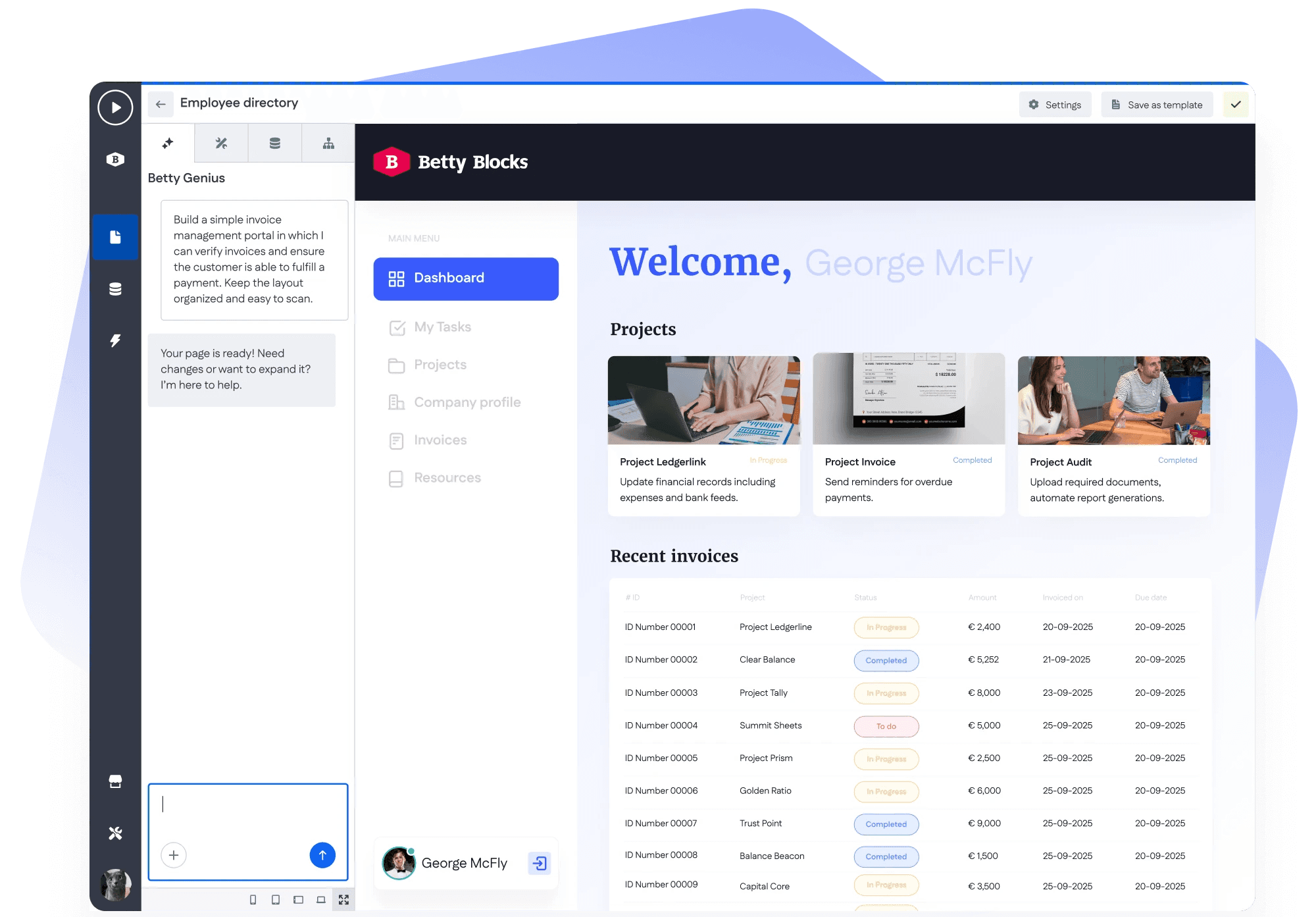
With frictionless integrations and full support for non-proprietary standards, users enjoy application development freedom by design. Build specific app components, such as client portals, front-facing UI designs, or AI-powered features, using the Betty Blocks low-code platform. Export low-code assets to your high-code stack and deploy them anywhere. Utilize a variety of libraries using Wasm components to connect and orchestrate across existing systems, tools, and teams.
Legacy Systems
Take back control from the legacy systems holding you back
The Wasm-based Action builder lays the foundation for a future-proof IT architecture. Engineers develop Wasm components to support complex business logic in the language of their choice. Low-code developers craft frontend components using the drag-and-drop Page Builder. Together, they combat common pain points encountered in outdated workflows. Break through the rigidity of legacy systems by creating portable, self-contained applications. Augment outdated software using modular design and flexible deployment while maintaining control of the existing IT infrastructure.
Code Ownership
Retain ownership of your code at every phase of the SDLC
Never worry about your app being trapped behind a monthly payment fee. With the freedom of WebAssembly components embedded throughout the Betty Blocks platform, reliance on closed systems is a thing of the past. Maintain ownership of every line of code produced during the development process, from ideation to deployment. Embrace a new way of building applications and deploy them where they run best - today, tomorrow, forever.
Persona Empowerment
Empower every role to build without limits
IT Leaders
Never worry about potential platform lock-in. Execute scalable development strategies that are built to last, thanks to portable business logic in Wasm.
Low-Coders
Speed up any development project by rapidly building frontend layouts and UI components directly in the Betty Blocks platform using low-code.
Developers
Break free from piling workloads, time constraints, and stifled innovation by broadening what you can achieve with high-code in a low-code platform.
IT Architects
Combat the frustrations that accompany many platform vendors by taking full ownership of the processes and workflows behind enterprise software.
Action Builder
How does the Wasm-based Action Builder work?
Translate high-code complexities into a low-code format to support multidisciplinary teams without the extra manpower. Foster seamless handovers of complex framework logic between Betty Blocks’ IDE and the high-code environment that experienced developers prefer to use. Follow the steps below to create robust business software logic using the Wasm-based Action Builder:
01
Create a Wasm action
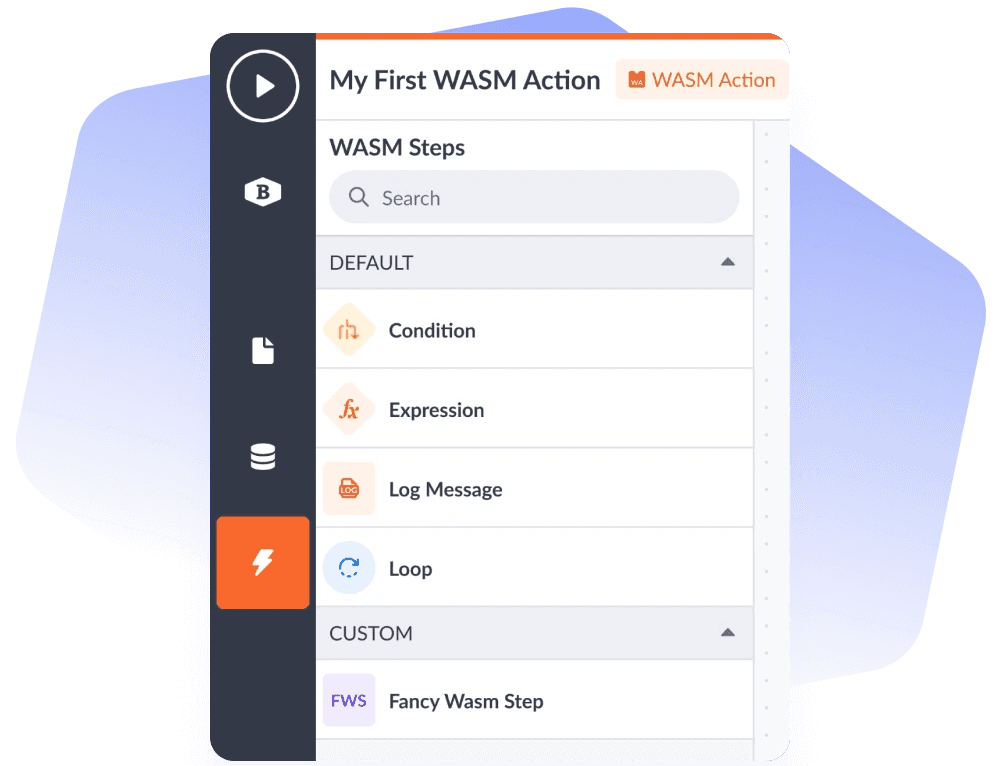
Navigate to the Actions module while you’re logged into your Betty Blocks IDE. Here, you will be able to create an action of the Wasm type. Review the existing Wasm steps in the palette, or add your custom step by uploading your own .wasm file..
02
Upload your Wasm component
Configure the Wasm step as you would with any other custom function you add to the action builder. Add a name, description, icon, and color before submitting the .wasm file. A preview will be shown for your confirmation before uploading.
03
Build your business logic with WebAssembly technology
Once successfully submitted, you’ll be able to use the Wasm step in your application. Drag the Wasm step onto the canvas and define the required variables. Once completed, the Wasm step is now part of a business logic flow in your low-code application.
04
Download the Wasm component and run
Choose to export the wasm action of your Betty Blocks application into a high-code environment for a traditional developer to flesh out further. Alternatively, continue running your application on the Betty Blocks platform. The choice is entirely up to you.
Frequently Asked Questions
FAQ about using Betty Blocks Open and WebAssembly for low-code
What is WebAssembly, and which coding languages are compatible with WebAssembly?
WebAssembly (or Wasm for short) is a binary instruction format that serves as a portable compilation target for web-based software that requires high CPU power to perform. It allows developers to write software in a language that is non-traditionally run in browsers, such as C/C++, Rust, Python, Java, Ruby, Go, Kotlin, Swift, C# and .Net, JavaScript, TypeScript, and PHP.
How will I know if Betty Blocks Open and WebAssembly are the right fit for my organization?
Betty Blocks Open is suitable for organizations of all shapes and sizes that are interested in leveraging the portability provided by WebAssembly. Don’t hesitate to contact us or visit the WebAssembly documentation if you have any questions.
I have questions regarding Betty Blocks Open. Who can I speak to?
We’re more than happy to have a chat with you to discuss your use case and answer any questions you may have. Schedule a personalized demo with one of our solutioneers at your convenience.
Can I truly break vendor lock-in as we know it with Betty Blocks Open?
Yes, in the sense that your application, or parts thereof, are exportable and usable outside of the Betty Blocks platform. This is our answer to providing an open-ended, low-code platform where users can upload software and components that are not native to a browser environment, thereby increasing performance.
What are my deployment options with Betty Blocks Open?
Once you have exported your application as a Wasm component, you are free to deploy it or the component however you see fit. That is the core message of Betty Blocks Open. Please refer to our technical document for more information on working with WebAssembly components.
Which file types are supported when exporting code from the Betty Blocks platform?
When a user exports a component from the Betty Blocks platform, it is downloaded as a .zip folder which contains three source code files: ReadMe, .wasm, and main.js.