Every solution you build needs to reach the systems your business actually runs on. Betty Blocks connects applications to SAP, JD Edwards, Workday, and Salesforce, so nothing you build stays stuck in a sandbox.

ERP Integration
ERP integration to SAP, JD Edwards, Workday, and more
Every AI-generated app is a toy until it touches the systems that run your business. Most integration work today means a bespoke project for every new connection, and every connection becomes another thing IT has to maintain forever. Betty Blocks builds the bridge instead of making you build it. Applications connect directly to SAP, JD Edwards, Workday, Salesforce, Microsoft Dynamics, and Exact, so a prototype from Genius or a hand-coded app moves the same real data, through the same governed connection, without your team writing a single line of integration code.












MCP Server
Data sources
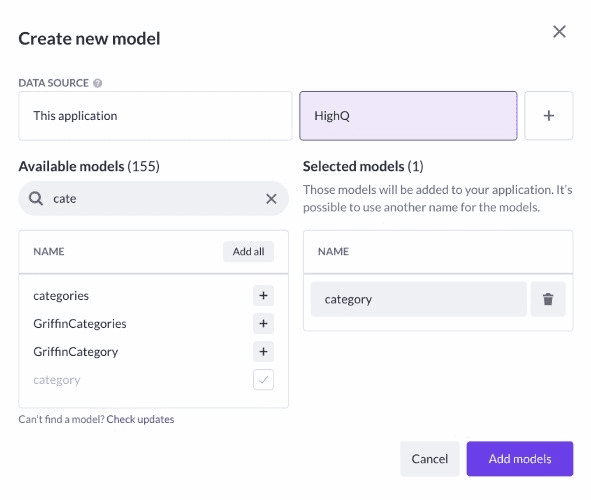
MCP Server is how Betty Blocks reaches your systems of record without a bespoke build for every connection. Data sources are the mechanism underneath it, reusable, secure templates that let any application talk to SAP, Salesforce, or Microsoft Dynamics the same governed way, every time. Learn about MCP servers.
data integration
Remote models
A connection to your ERP should behave exactly the way IT configures it, not however the AI decided. Remote models give you that control, define once how data flows in from a core system, and every app inherits the same rules.
Share data
API integrations with Betty Blocks
API connections come in different forms when working on the Betty Blocks platform. It is possible to share resources, data, and processes with applications created within the platform itself and third-party core systems such as SAP and Oracle. By creating a data source with the Action Builder, developers can connect information outside of the platform with applications built with Betty Blocks.
Making software easier
Reduced engineering efforts
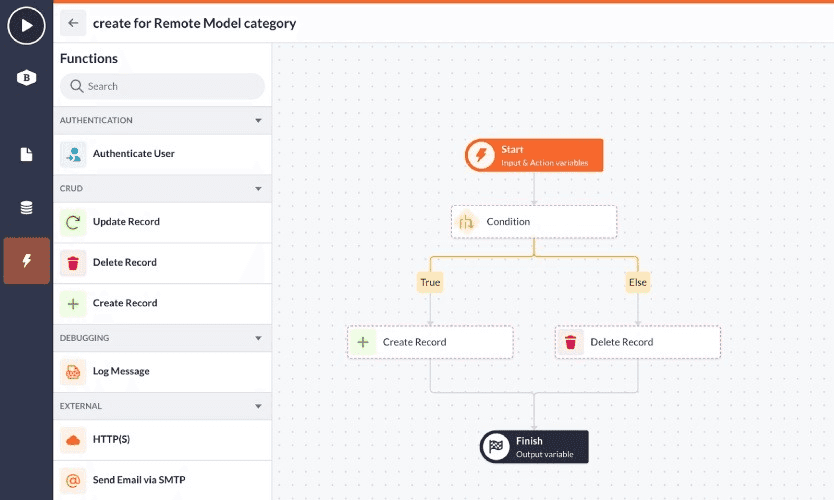
API integrations and low-code go hand in hand, as they both aim to make programming and software easier for developers and users. Because both APIs and low-code aim to speed up the development process significantly, leveraging them both reflects in the increased time-to-market. By utilizing the platform's low-code capability, developers can create API connectors through drag-and-drop action workflows rather than hand-coding them.
Integrate with existing systems
Integrate with your applications
Our clients are using Betty Blocks to integrate with the applications they use every day. For example, in Betty Blocks you can create an application that collects essential client information through a questionnaire.
Connectivity
Improved app governance
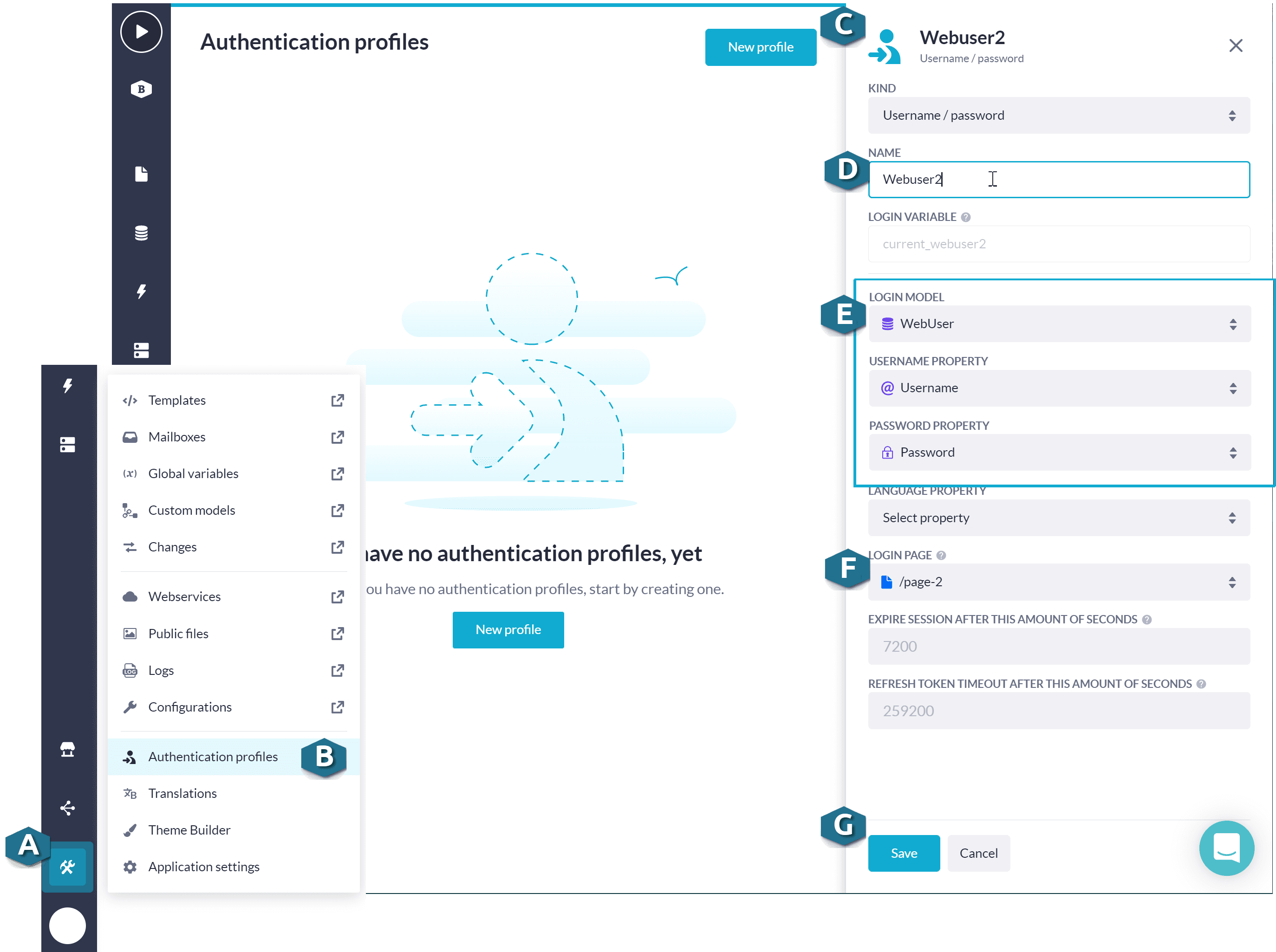
The Betty Blocks platform offers a myriad of solid governance tools, which can also be applied to how an API behaves. By adding governance tools in the form of custom permissions, roles, and viewing rights, admins have control over data security.
Orchestration
Smoother API orchestration
When multiple APIs are needed on a single application, it can be challenging for developers to maintain an overview. Luckily, the Betty Blocks platform boasts a visual canvas where Action components can be used to create connectors and manage endpoints. The visual approach to orchestrating API results in a more streamlined developer experience, which allows organizations to optimize web services, mobile applications, internal tools, workflows, and much more. For non-developers, there is the option to to connect their own preferred APIs through blocks configured by low-coders.
Database
Connect your own data source via API
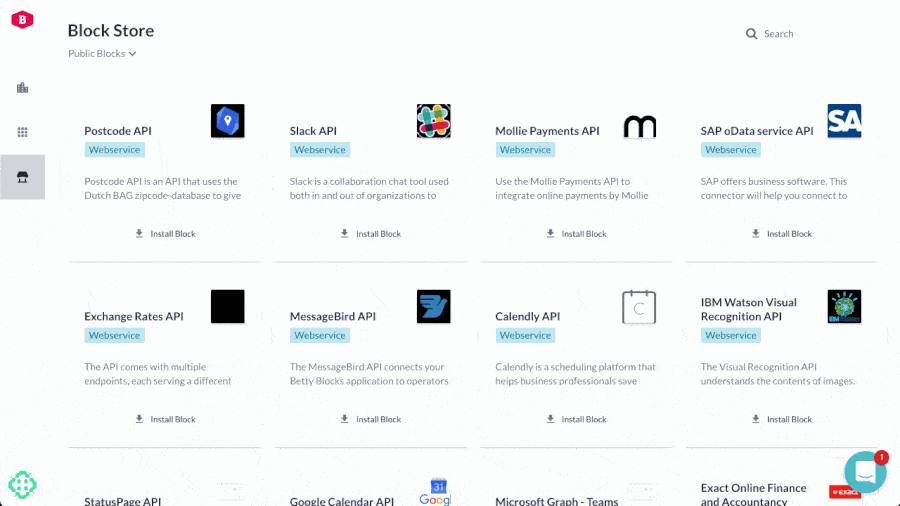
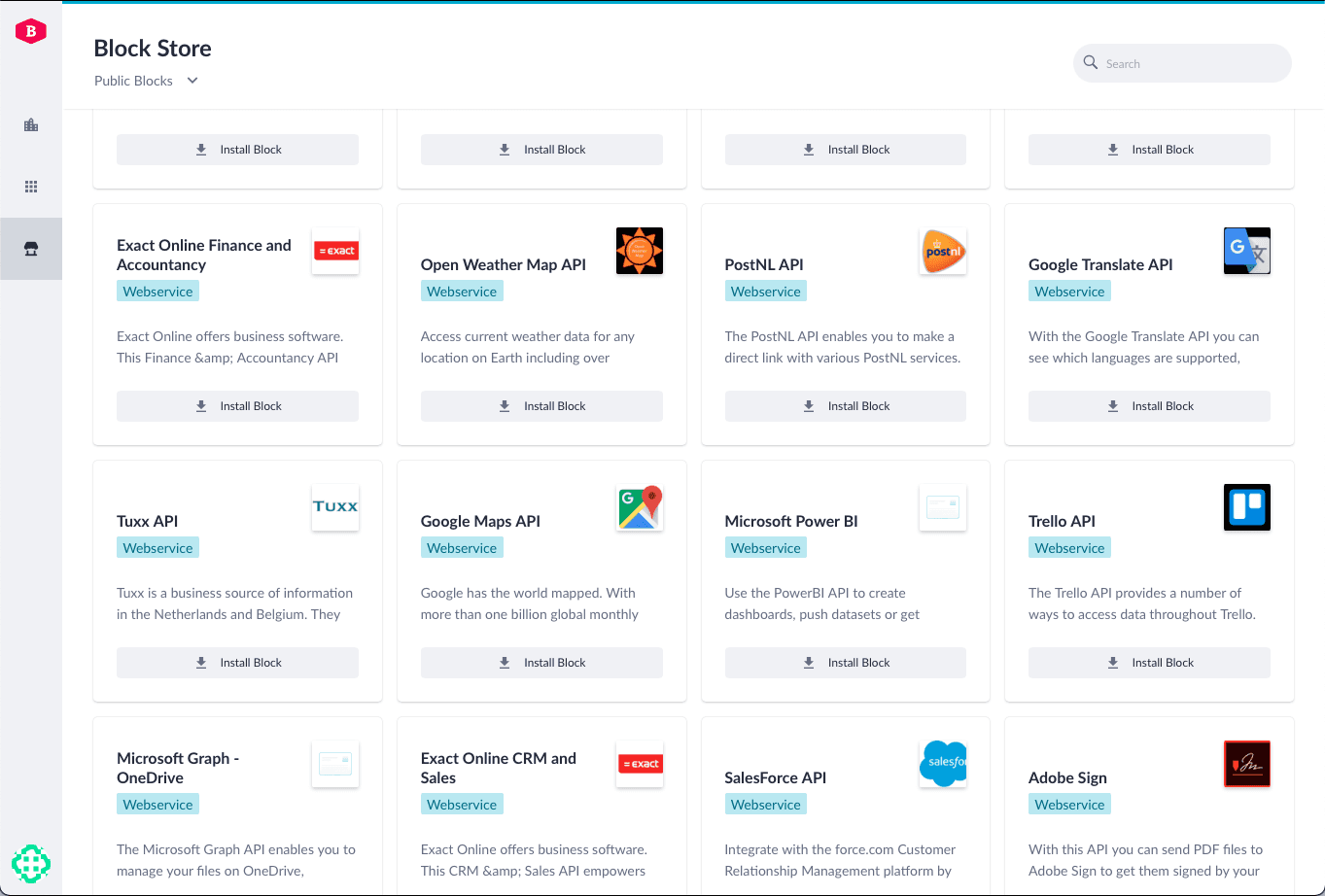
By creating an API within our platform, external data sources can be linked to applications made with Betty Blocks. This is why the Betty Blocks Store supports data sources native to your organization's IT infrastructure.
Store
The Betty Blocks Store
We’re committed to making our platform as easy as possible to use, that’s why we created the Blocks Store. Here, low-code developers can create, store, and configure their own reusable integrations.
Frequently Asked Questions
Got questions?
We've got answers.
What are integrations in Betty Blocks?
Integrations in Betty Blocks allow you to connect applications with internal systems, third-party tools, and external data sources to extend functionality and improve data flow.
How does Betty Blocks handle API integrations?
Betty Blocks uses low-code tools and the Action Builder to create and manage API connections without traditional coding, making integrations faster and more accessible.
What are data sources in Betty Blocks?
Data sources are reusable API templates that allow applications to communicate with internal or external systems, enabling secure and structured data exchange.
What are remote models?
Remote models let users control how API connections behave, making it possible to fetch, structure, and use external data within Betty Blocks applications.
What types of API integrations are supported?
Betty Blocks supports native APIs, data APIs, and third-party APIs, allowing seamless connections between internal apps, external systems, and enterprise tools like SAP or Oracle.
How does Betty Blocks improve API governance and security?
The platform provides governance features such as roles, permissions, and viewing rights, giving administrators full control over data access and API security.